

Cloud reseller program: sell VMs under your own brand
Launch your own cloud brand: sell virtual machines with your pricing, website and payments, on Cloudj infrastructure or your own Apache CloudStack.
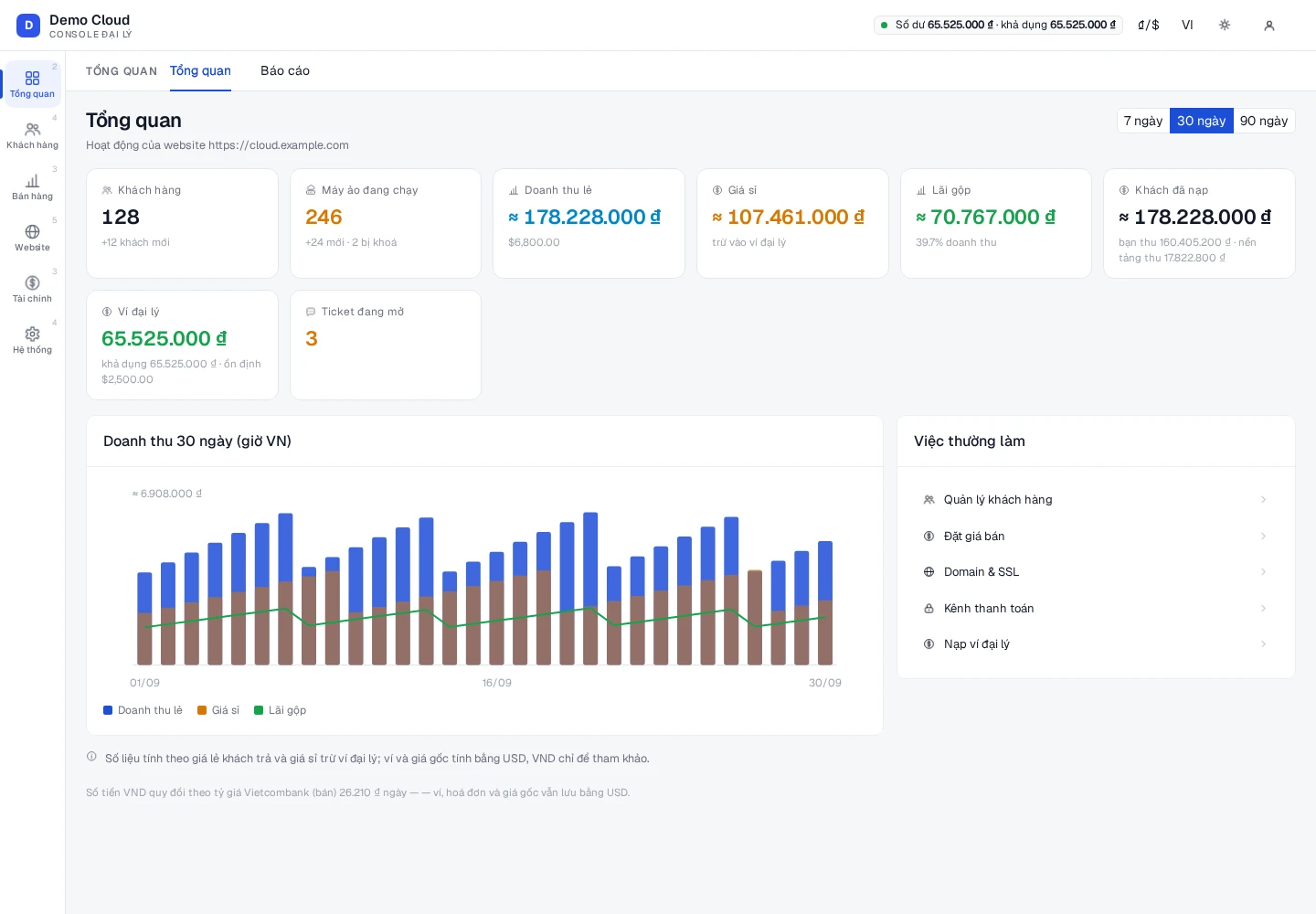
One white-label console for your cloud business
The actual Partner Console interface with demonstration data. Customers, your website and finances in one place.
Overview & revenue
Brand & website
Plans & retail pricing
Partner interface demonstration
Reseller tools to run your cloud business
Manage customers & their VMs
Manage customers, quotas, virtual machines, Auto Scaling and support tickets for each customer.
Set your own prices & margin
Set prices by plan and billing cycle, configure your margin, custom plans and catalog ordering.
A website under your own brand
Configure your logo, colors, homepage, domain, outgoing email and announcements.
Get paid your way
Track orders, payments, invoices, partner wallet, payment gateways and top-up vouchers.
See revenue at a glance
Review revenue, reports, audit logs, API keys, accounts and login settings.
Sell your own infrastructure
For partners running Apache CloudStack: build VM plans from your own zones, networks, offerings and templates.
White-label Apache CloudStack: sell your own capacity
Already running Apache CloudStack? Bring your infrastructure into the partner model, build your VM catalog and sell under your own brand.
- 01
Connect CloudStack
Prepare the API endpoint and access keys for your Apache CloudStack.
- 02
Choose what to sell
Choose the zones, networks, service offerings and templates for your storefront.
- 03
Set prices & launch
Build retail plans, hourly prices and service policies under your own brand.
Features on your own infrastructure depend on your Apache CloudStack configuration.
Launch your cloud storefront in 6 steps
Start with your brand and product catalog. Complete domains, email and payment channels as your storefront grows.
- 01Create an account
- 02Set your brand
- 03Choose a domain
- 04Configure pricing & payments
- 05Choose infrastructure
- 06Open your console
Ready to launch your own cloud brand?
Set your brand and prices, then run customers, VMs and payments from Partner Console.